
Extend Ryobi Battery Life: 5 Simple Habits That Actually Work
If your Ryobi packs are losing runtime, small daily habits will make a real difference. This guide gives five practical, low-effort habits—shallow charging, sane storage, temperature control, cool-before-charge, and clean contacts—plus charger best practices, fleet logging templates and an ops-ready checklist crews can implement today to reduce downtime and extend pack life.
Who is this for and what will you get?
This guide is for homeowners, contractors, rental/fleet managers and aftermarket suppliers who rely on Ryobi ONE+ 18V packs. You’ll get practical SOPs you can drop into a toolbox talk, a simple lifecycle-preservation checklist, and measurable actions that reduce unexpected downtime, lower cost-per-hour, and keep packs healthier longer.
Safety first — what must you never forget?
⚠️ Safety (Non-Negotiable): Quarantine any pack that is swollen, smoking, leaking, or very hot (>~50 °C). Never open or bypass the BMS. Perform any bench checks on a non-combustible surface with eye and hand protection, and have a Class ABC extinguisher nearby. If in doubt, retire and recycle rather than risk repair.
Habit 1 — What is the “snack” principle and why should I shallow-charge?
Li-ion chemistry ages faster when repeatedly driven into full discharge or full charge extremes. The “snack” principle means treating your pack like a phone battery: frequent, shallow charges are kinder than deep drains. Aim to recharge when you see roughly one bar left and stop charging near ~80% for day-to-day use. Practically: swap a pack once you hit ~20–30% remaining instead of running it to automatic cutoff. Over many cycles this reduces cumulative stress on the electrodes and slows capacity fade.
Actionable tips: set crews to top to ~80% between shifts, use visual battery indicators as swap triggers, and avoid making “run-to-dead” a routine.
Habit 2 — How should I store packs long-term: what’s the sweet spot?
For storage longer than a week, keep packs at 40–60% state of charge (SOC). This “light sleep” window minimizes calendar aging and protects packs during low-use seasons. Rough OCV checks: a 5-cell (nominal 18V) pack ~20.0–21.6 V ≈ full, 18–20 V ≈ OK; aim for ~19–20 V when shelving. Seasonal prep: charge to ~50%, label with date, store in a cool, dry place and re-check every 3–6 months to top up if SOC drifts.
Habit 3 — Where should I keep packs to avoid heat or damp damage?
Give packs a comfortable home: store ~15–25 °C (59–77 °F) and <60% relative humidity. Avoid leaving packs in hot vehicles, direct sunlight, or freezing basements. Label packs with purchase/use date for traceability and rotate older packs forward in FIFO so no pack sits in extreme conditions for months.
Habit 4 — Why should I let packs cool before charging after heavy use?
Charging a hot pack adds thermal stress and accelerates chemical degradation. After heavy use, let packs rest until they are near-ambient—typically 15–30 minutes depending on tool duty. For fleets, use an IR thermometer: if surface temp > ~40 °C, wait; do not charge if > ~45 °C. A simple bench checklist: remove pack, cool in shaded area, IR-spot-check at the cell area, then place on charger once near room temperature.
Habit 5 — How do clean contacts extend battery life?
Oxidation and grime increase contact resistance, causing heat and voltage sag. Quick 30-second routine: wipe rail contacts and tool terminals with a dry lint-free cloth; if dirty, briefly use a 70% isopropyl wipe and dry fully before seating. Frequency: weekly for high-use packs, monthly for light use. Always power tools off and avoid liquid ingress into pack internals.
Charger best practices — which chargers and placements matter?
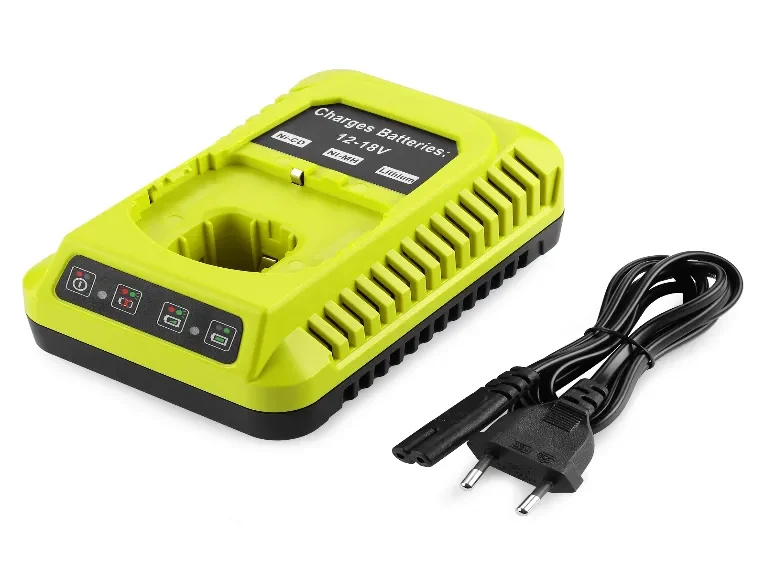
Use OEM or vendor-validated chargers. Ensure chargers have free airflow (don’t stack or cover), sit on non-combustible surfaces, and follow the manufacturer’s temperature limits (do not charge below ~5 °C without pre-warming). For fleets, cluster chargers in a ventilated charging station spaced so fans aren’t blocked. Pre-warm cold packs indoors before charging; avoid overnight float-storage as a routine—use ~80% target for shift-to-shift storage.
Use & workload habits — how should I match pack size to the job?
Match pack amp-hours to tool demand: use higher-Ah packs for saws, blowers, grinders; use 4.0–6.0Ah for drills and intermittent tasks. Avoid repeatedly deep cycles—swap at ~20–30% remaining. For heavy continuous runs, allow cool-downs between cycles to reduce thermal accumulation (e.g., 10–15 minutes off after 15–20 minutes heavy use).
Maintenance & inspection cadence — what checks should I schedule?
Weekly: visual inspection and contact wipe.
Monthly: OCV spot-checks—top up if resting OCV < ≈18 V.
Quarterly (fleets): sample capacity/runtime test and internal resistance spot check (sag under standard load). Flag packs with sag > ~2 V or capacity < ~80% of baseline for closer review.
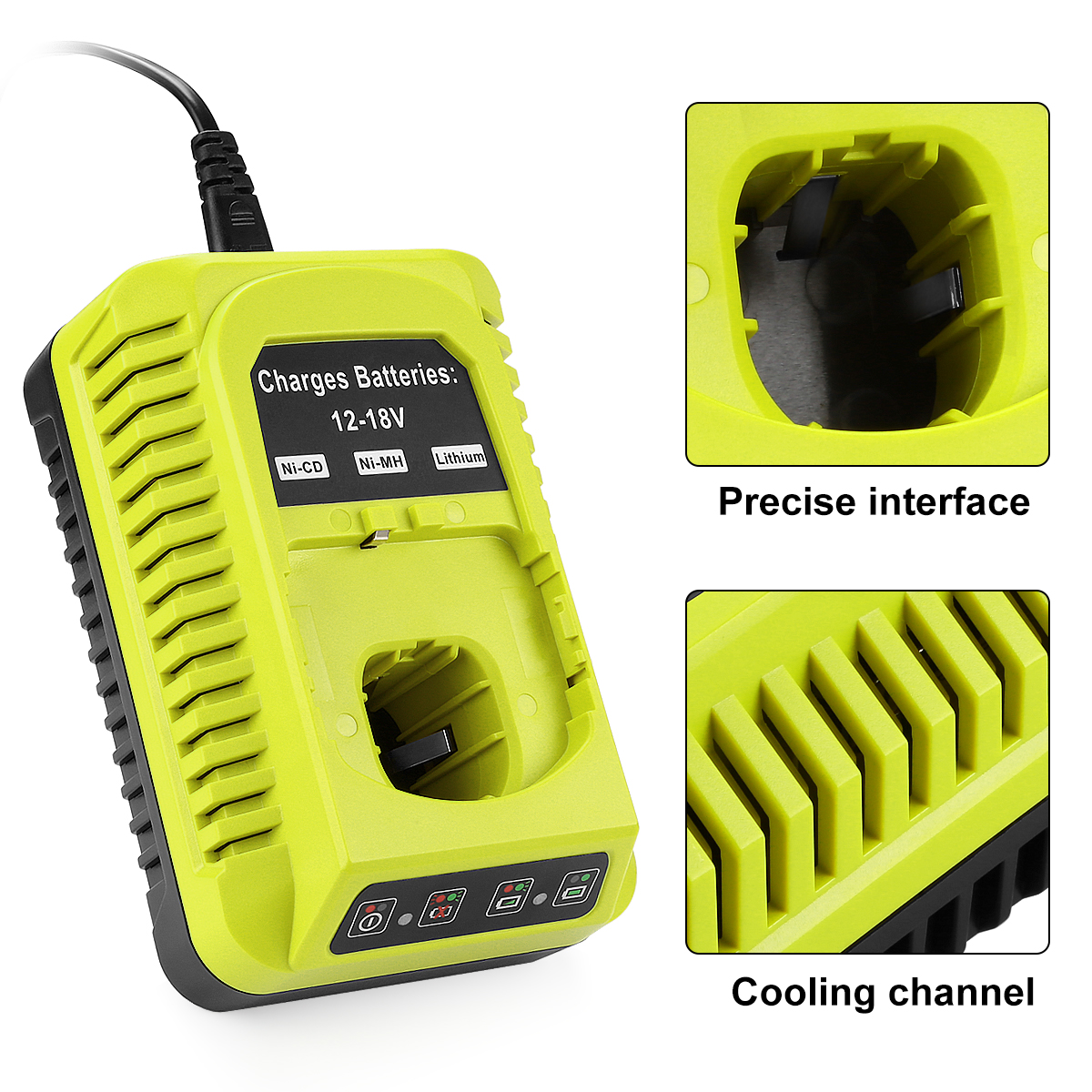
9.6V-18V Ni-Cd Ni-MH Li-ion Power tool Battery Charger P117 Replacement for Ryobi One Plus tool Battery Charger
Rotation & logging for fleets — how do I track and spread wear?
Use FIFO rotation, track usage in a simple CSV to spread cycles evenly. Recommended spare ratio: +1 pack per tech (minimum) and +10% spares for fleet contingencies.
CSV header (copy/paste):
Serial, PurchaseDate, AssignedTech, LastCharged, HoursUsed, LastOCV_V, LastSag_V, Notes
Thermal management — what practical thresholds should trigger action?
Normal: < ~40 °C — continue.
Caution: 40–50 °C — monitor, allow cooldown before next charge.
Quarantine threshold: > 50 °C — unplug, isolate, tag and escalate for inspection or recycle.
Perform periodic IR checks on high-usage packs (monthly or after heavy jobs).
Practical checks to catch aging early — which numbers matter?
OCV < ~17–18 V after safe charge attempts → red flag.
Sag test (10–20 s light load): healthy ≤ ~1 V; marginal ~1–2 V; replace if > ~2 V or if tool cuts out.
Capacity trend: a downward trend in runtime across months indicates replacement planning is needed once below ~80% of original runtime.
Repair vs Replace policy — when should ops replace rather than attempt repair?
Replace immediately if packs are swollen, show hotspots, emit odor, or OCV < ~17 V after safe wake. Consider cell-level repair only for young, mechanically sound packs when certified technicians can do the work and the total repair cost + risk < ~50% of a new pack.
Quick checklist
After-shift routine: Wipe contacts; charge to ~80%; record Serial, Hours Used; rotate FIFO; quarantine/tag swollen or hot packs; schedule monthly OCV spot-checks.
Short Q&A — answers to common questions
Q: Is full discharge bad?
A: Yes — avoid deep discharge; prefer topping up at ~20–30% remaining.
Q: Can I leave batteries on the charger overnight?
A: Not recommended for long-term float storage. Charge to ~80% between shifts instead.
Q: Are third-party chargers safe?
A: Only use vendor-verified chargers; unverified cheap chargers risk thermal and lifecycle damage.
Q: How often should I replace packs?
A: Replace based on runtime trend and IR/OCV thresholds—not a fixed age. Plan replacement when capacity drifts below ~80% or sag exceeds ~2 V.
3-step starter action plan — what to do this week
-
Set targets: charge to ~80% between shifts; store spares at 40–60%.
-
Start logging: implement the CSV header above and record each pack’s LastCharged, HoursUsed, and LastOCV.
-
Enforce cool-before-charge: require a 15–30 min cooldown after heavy runs and an IR spot check for any pack > 40 °C.
Closing note — encouragement and limits
Daily habits don’t stop chemistry, but they materially delay capacity fade and reduce downtime. Start the three-step plan, measure runtime trends after 3 months, and decide procurement or replacement based on data. Small discipline today saves cost and hassle tomorrow.