
What Does the Ryobi Battery BMS Actually Do — Plain-English Guide?
A non-technical, safety-first explanation of the Battery Management System inside Ryobi ONE+ packs — what it protects, what symptoms to watch for, and exactly what frontline users and fleet managers should do.
⚠️ SAFETY — READ FIRST (red callout)
Do not open packs or bypass the BMS unless you are a certified technician working in a proper battery lab. Quarantine any pack that is swollen, smoking, leaking, or hotter than ~50 °C. Perform tests outdoors or on a non-combustible bench, wear eye & hand protection, and keep a Class ABC/BC extinguisher nearby. Before sharing technician assets internally, require an authorized supervisor to confirm: “I read the safety note.”
What is a BMS in plain English?
A Battery Management System (BMS) is the pack’s brain and bodyguard: a small circuit board that monitors cell voltages and temperatures, balances cells, and decides when to allow or stop charging/discharging. Think of it as coach + medic + accountant — coach (schedules charging), medic (cuts power if a cell is sick), accountant (tracks voltage/current/health).
Tweetable: BMS = coach + medic + accountant for your battery.
Core functions of the BMS
-
Safety protections — prevents overcharge, overdischarge, overcurrent (shorts), and excessive temperature.
-
Cell balancing — evens series cell voltages so no single cell gets overstressed.
-
State tracking & reporting — measures pack voltage/current/temperature and drives LED/handshake messages.
-
Handshake / communication — negotiates safe current limits with chargers and tools.
How BMS behavior appears in everyday life
-
Charger refuses pack / blinks error: BMS is preventing unsafe charging (overtemp / UV/OV). Action: swap to a known-good charger and measure OCV.
-
Tool cuts out under load: BMS limiting or the pack has high internal resistance (IR). Action: swap batteries and run a sag test.
-
Pack charges slowly or won’t reach 100%: BMS temperature or cell imbalance. Action: charger-wake 10–30 min then retest; log serial.
-
Pack remains warm after use: thermal stress — stop using and quarantine.
Include local lookup of LED blink patterns (record videos/notes per model) so techs can map codes without guessing.
Field-friendly, no-teardown tests
Field kit : multimeter, IR thermometer, OEM charger, known-good pack, stopwatch.
60-second triage checklist (printable):
-
Visual inspect pack for swelling, cracks, discoloration. If present → QUARANTINE.
-
Seat pack in OEM charger; observe LED for 60 s. Record LED pattern.
-
Swap test: suspect pack → known-good charger; known-good pack → suspect charger.
-
Measure OCV (resting voltage) and record (bands below).
-
If OCV ≥ ~18 V and charger accepts → proceed to load/sag test; else escalate.
OCV bands (practical, 5-cell pack):
-
~20.0–21.6 V — near full
-
18.0–20.0 V — OK / usable
-
<17–18 V — red flag (BMS / low cell)
-
<10–12 V — severe (quarantine / professional handling)
Simple load/sag test (10–20 s):
-
Run a light, repeatable tool load; measure pack voltage under load (or immediately after).
-
Healthy: ≤ ~1.0 V sag. Marginal: 1–2 V. Failing: >2 V or tool cutout → flag/replace.
Provide a one-page triage checklist and have crews log serials, OCV, LED behavior and test operator initials for traceability.
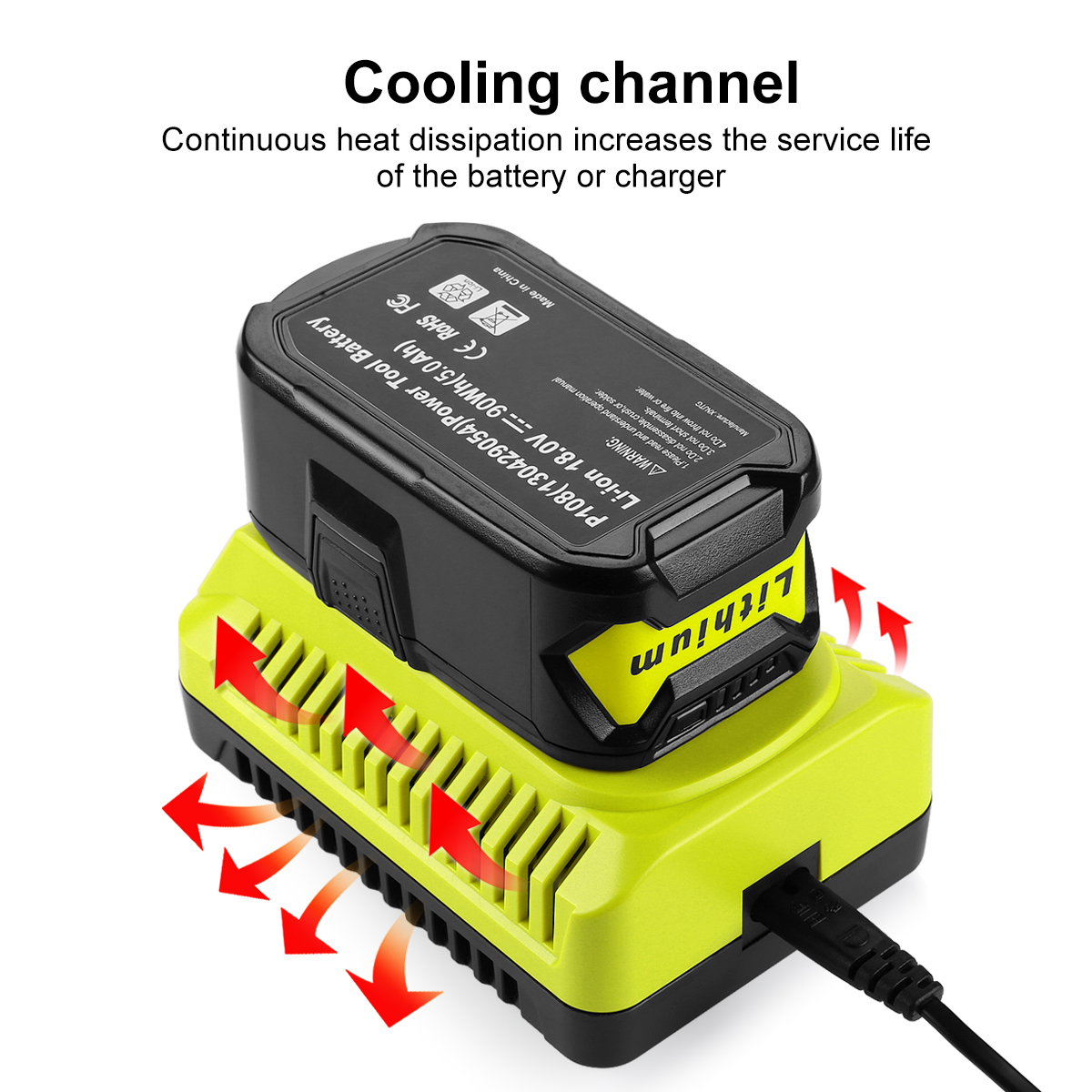
9.6V-18V Ni-Cd Ni-MH Li-ion Power tool Battery Charger P117 Replacement for Ryobi One Plus tool Battery Charger
Which symptoms are BMS-related — quick lookup table
Symptom → Likely BMS / pack cause → Immediate non-tech action
-
Charger fault LED → BMS protection (temp / UV / OV) → Remove pack, measure OCV, retry OEM charger 10–30 min; quarantine if persistent.
-
Tool cuts out under load → Overcurrent trip or high IR → Swap with known-good pack; do sag test; retire if sag > ~2 V.
-
Pack charges but loses capacity → Cell ageing (chemical) → Tag for replacement; log cycles.
-
LED/SOC inconsistent → Cell imbalance or BMS misread → Record OCV; run a sample cycle; escalate if repeated.
(On the page, render rows expandable for step details and a copyable log template.)
What the BMS can fix — and what it cannot
Can do: prevent dangerous charge/discharge, equalize minor cell differences, and negotiate safe limits.
Cannot do: restore chemically degraded cells, reverse lithium plating, or repair physical damage. Repeated BMS trips are a reliability signal — replace the pack.
Fleet & procurement cues about BMS
Require suppliers to disclose thermistor placement, BMS feature list (OV/UV/OC/OT thresholds), handshake compatibility notes, and supply a sample test report.
One-line procurement clause:
“Supplier shall provide batch test reports (OCV, capacity, thermal run at 1C), disclose thermistor placement and BMS features, and supply a 12-month warranty covering BMS-related failures.”
Use that clause in RFQs/POs and require pilot sample acceptance (5–10%).
Low-friction fleet rules for handling BMS events
-
Maintain a golden set: one known-good charger + one known-good pack for cross-checks.
-
Log everything: pack serial, date, symptoms, OCV, charger model, ambient temp.
-
Quarantine rule: packs that trip more than twice in 30 days → quarantine & RMA.
-
Run a 5-minute toolbox talk on LED codes, OCV checks and swap-testing for operators.
Quick decision flow
-
Stop & quarantine if hot / swollen / smoking.
-
Visual check → measure OCV.
-
OEM charger for 10–30 min (charger-wake).
-
Swap to known-good pack/charger to isolate.
-
If still failing → log + quarantine + escalate (RMA/replace).
-
If wakes, run 10–20 s load/sag test; if sag > ~2 V → schedule replacement.
One-click RMA email template (plain text to paste): include vendor, subject, pack SN, OCV, LED pattern, short test summary, attached photos. Keep it concise and include operator contact.
FAQ
-
Can I reset a Ryobi BMS? No; use OEM charger/tool wake sequences. Persistent locks need service or replacement.
-
Will firmware updates brick third-party packs? Firmware can change handshake rules. Reputable third-party packs emulate protocol and fall back to safe modes — require supplier compatibility tests and evidence.
-
My pack reads normal voltage but dies under load — is that the BMS? Usually indicates high internal resistance (cell ageing), not a BMS firmware bug — treat as candidate for replacement.
Closing takeaway
Takeaway: The BMS is your battery’s silent safety manager — observe symptoms, run the quick tests, log and isolate repeat offenders, and never open the pack.